Avoid These 5 Common Ticketing Mistakes That Are Quietly Killing Your Event Sales
You’ve done the hard work of planning your event. Don’t let these fixable mistakes cost you attendees, revenue, and your reputation.
You’ve locked in the venue. The lineup is confirmed. The date is set. You’ve even designed a flyer that you’re honestly pretty proud of. So you set up your ticketing page, share the link, and wait for sales to roll in. But they don’t. Or they trickle in slowly. Or worse people show up on the day of your event and the check-in line is a nightmare. Here’s the hard truth: the most common event failures aren’t about bad ideas or poor planning. They’re about small, fixable ticketing mistakes that quietly undermine everything else you’ve worked so hard to build. The good news? Every single one of these mistakes is avoidable especially when you have the right platform behind you.
Let’s walk through them.
1. Offering Only One Ticket Type
It sounds simple. One event, one ticket price. Clean, right? Not really. When you offer a single flat ticket, you’re leaving money on the table and ignoring the reality that different attendees value your event differently. The person who books three months in advance is not the same as the person who decides to come the morning of. The colleague who wants front-row access and cocktail hour is not the same as the student on a budget who just wants to get through the door. A smart ticketing strategy meets each of them where they are.
With EventsGrid, you can create multiple ticket tiers for the same event all from one dashboard:
- Early Bird Tickets to reward commitment and give yourself cash flow before the event
- VIP Packages with premium perks like priority entry, seating upgrades, or exclusive access
- General Admission as your baseline offering
- Group Tickets for teams, families, or friend groups buying together
- Donation-based tickets for nonprofits and community events
Pro tip: Even adding just one VIP tier alongside General Admission can increase your average revenue per attendee significantly. Give people the option to spend more many of them want to.
2. Setting Up Your Event Page Like a Flyer, Not a Sales Page
Your event page is not a flyer. It’s your most important salesperson and it’s working 24 hours a day.
Yet so many organizers set up their EventsGrid page with a vague event description, no clear agenda, and no answers to the questions attendees always ask. And then they wonder why people click the page and don’t buy.
Here’s what a high-converting EventsGrid event page actually needs:
- A clear, specific event title (not just “Annual Summit 2025” but what it is and who it’s for)
- A description that speaks to your attendee, not about yourself
- Date, time, venue address with directions if the location is tricky to find
- A breakdown of what’s included in each ticket tier
- A real hero image not a stock photo
- Your refund policy, stated clearly
The difference between a vague page and a complete one isn’t just aesthetics. It’s trust. When attendees land on your page and every question they have is already answered, buying a ticket becomes easy. When they have to DM you for basic information, most of them simply won’t bother.EventsGrid gives you a fully customizable branded event page your colors, your logo, your URL built to convert from the moment it goes live.
3. Ignoring Ticket Quantity Limits
This one catches organizers off guard more than almost anything else. If you don’t cap your ticket quantities, you risk overselling your event and that creates problems that ripple out into every part of your attendee experience. An overcrowded venue. Catering that runs short. A check-in line that wraps around the block. Attendees who paid good money for an experience that felt chaotic.But there’s an upside to setting ticket limits that most organizers don’t think about: scarcity drives urgency. When your event page shows “Only 34 tickets remaining,” that’s not just information. That’s motivation. Attendees who were on the fence suddenly have a reason to act now.
EventsGrid’s real-time capacity management handles this automatically. Set your limit, and the platform tracks sales in real time, triggers your waitlist when you sell out, and fills cancellation gaps automatically. You stay in control. Your attendees feel the urgency. Everyone wins.
4. Promoting Your Event Once and Hoping for the Best
One Instagram post. One email blast. One LinkedIn update.
And then silence while you wait and hope that the algorithm does its job.
It won’t. Not reliably. Not consistently. Not for the kind of attendance numbers your event deserves.
Selling out an event requires ongoing, varied, consistent promotion across multiple channels. And it has to start earlier than you think ideally the moment your tickets go live.
Here’s a promotion rhythm that actually works:
- Week 1: Announce the event. Share your EventsGrid page link across all channels.
- Week 2–3: Share speaker spotlights, agenda previews, or behind-the-scenes content.
- Week 4: Highlight your early bird deadline. Create urgency.
- Week 5+: Post testimonials from past events. Feature attendee stories. Run countdown content.
- Final week: “Last chance” messaging. Real-time ticket availability updates.
EventsGrid’s built-in tool such as email brodcast makes communication very easy so you’re always speaking to the right audience with the right message at the right time.
5. Treating Check-In as an Afterthought
You’ve sold the tickets. The day arrives. And then the entrance to your event becomes a 40-minute bottleneck that puts your attendees in a bad mood before they’ve even walked through the door.
Check-in is the first live experience your attendees have with your event. And first impressions don’t just set the tone they stick.
The most common check-in mistakes:
- Relying on printed lists or manual name searches
- Having a single check-in point for hundreds of attendees
- Staff who aren’t trained on the check-in app before the day
- No process for attendees who can’t find their ticket confirmation
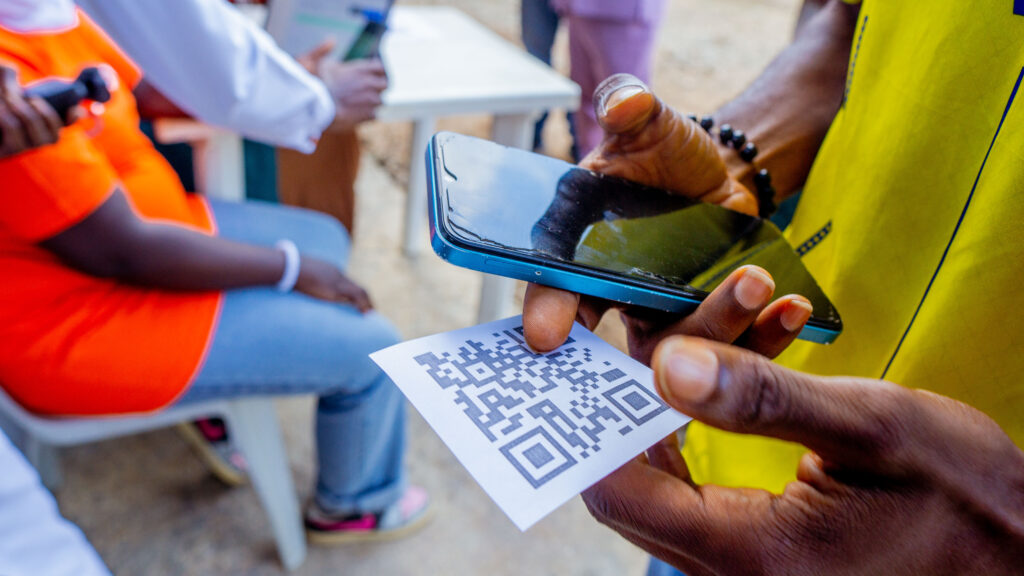
EventsGrid’s mobile check-in app was built specifically to eliminate all of this. Your staff can check in attendees by QR code scan or name search on iPhone or iPad in seconds. The iBeacon Auto Check-In feature can even detect and check in attendees automatically as they arrive, without any scanning needed.
Before your next event, run a full check-in rehearsal with your team using the EventsGrid app. Test your QR codes. Simulate a line. Know the edge cases before your attendees do. A smooth entrance doesn’t happen by accident but with the right tools, it doesn’t require much effort either.
The Bottom Line
Every one of these mistakes is fixable and fixing them doesn’t require starting over. It just requires a platform that gives you the right tools and a little intentionality about how you use them. If you start your next event by:
✅ Setting up multiple ticket tiers
✅ Building a complete, trust-building event page
✅ Capping quantities to drive urgency
✅ Promoting consistently from day one
✅ Preparing your check-in experience in advance
…you’re not just going to sell more tickets. You’re going to build the kind of event reputation that makes your next event even easier to sell. EventsGrid was built for organizers who take their events seriously. From ticketing to payments, marketing, and day-of check-in everything you need is in one place, at a price that makes sense.
Ready to Set Up Your Next Event the Right Way?
Join thousands of event organizers who trust EventsGrid to power their events from intimate community gatherings to large-scale conferences.
Create Your Event on EventsGrid →
Have questions about setting up your event on EventsGrid? Our team is here to help. Reach out at support@eventsgrid.com